View Full Version : Aperture with diffraction blur, shutter speed 1/60 sharpening problem!
Asher Kelman
May 25th, 2007, 01:39 PM
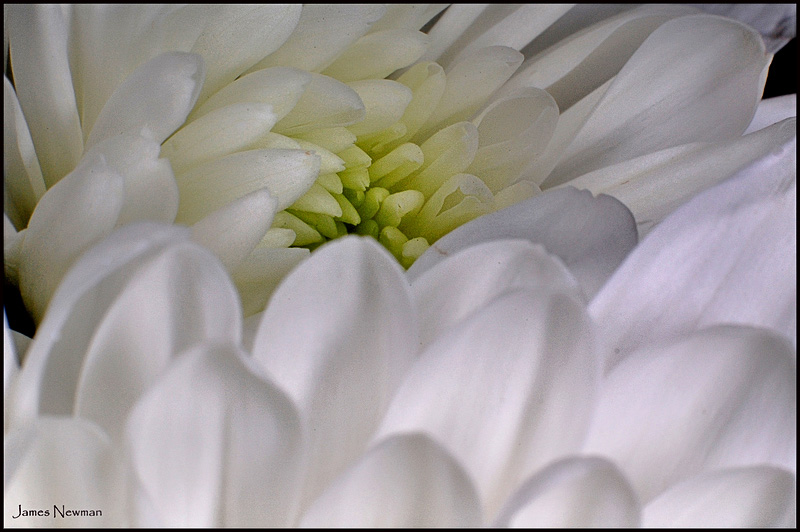
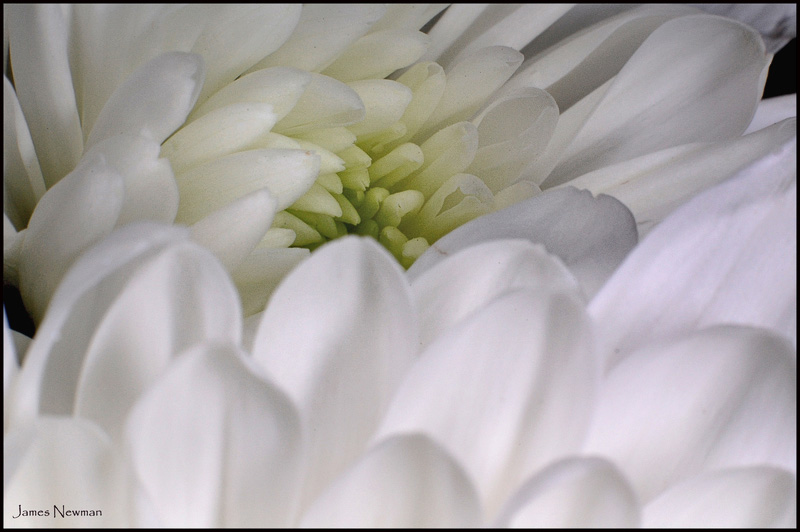
James Newman original posted this image in Closeup & Macro here. (http://www.openphotographyforums.com/forums/showthread.php?t=2984)

http://i99.photobucket.com/albums/l319/jnewmanco1/DSC_5865-1.jpg
Here's the picture selectively sharpenned with CS2 Unsharp Mask after the shading was dealt with by levels and curves.
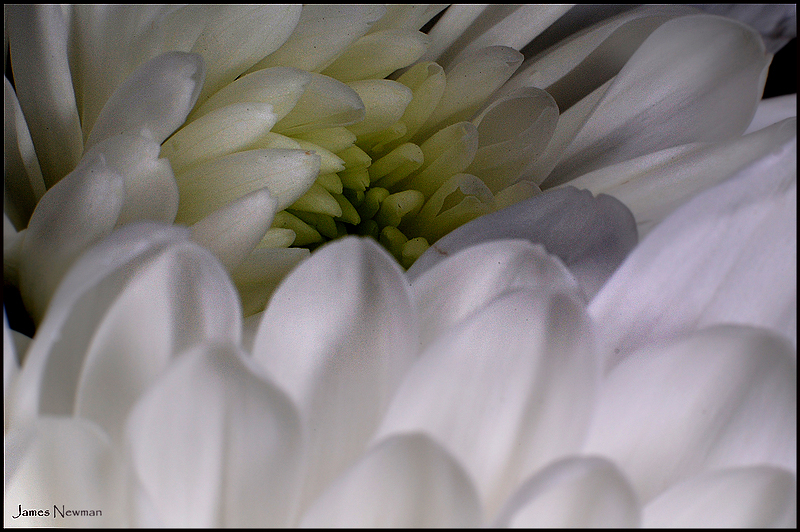
http://www.openphotographyforums.com/2007_OPF_AK/OPF200705/James_Newman/DSC_5865-1AK.jpg
Edited 2007 Asher Kelman
While I love the gentle wispy soft look of the flowers, some sharpening is needed as the image is degrade by the shooting conditions.
I was wondering how can we best approach such an image without increase granularity.
What is your best approach?
Asher
Asher Kelman
May 25th, 2007, 01:55 PM
Bart_Van_Der_Wolf has referred a number of times to an image preparation software called [url=ImagesPlushttp://www.mlunsold.com/]ImagesPlus [url]. The link provides a fee download for ImagesPlus. The software runs in Windows™ XT BD Parallels™
So I was intrigued to see if this software could help in deconvolving this blurred image better the achieved with CS2 by my brief simplistic attempt without subsequent noise removal.
I heard that the software works in 64 BIT which means that we are not slamming the results of calculations back to 16 bit after each step in the processing.
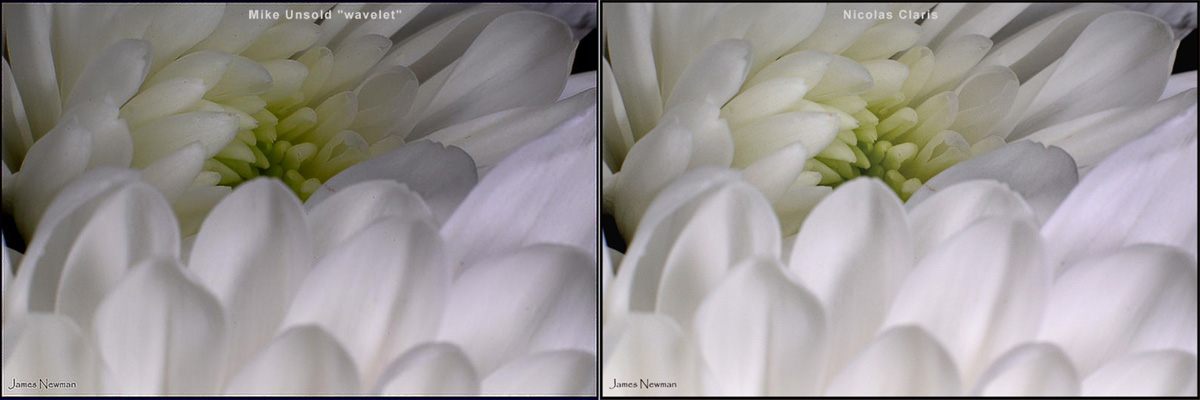
So I called Mike Unsold and we discussed this. He kindly did two quick runs with his software using
Wavelet calculation:
http://www.mlunsold.com/IP3/WAVELETFLOWER.JPG
Also the Adaptive Richardson-Lucy Flower algorithm:
http://www.mlunsold.com/IP3/ARLFLOWER.JPG
What do you think of the results?
Do you have any other methods.
Asher
Note: May 26th, I have posted the correct wavelet processed image! I had posted the same image twice in error!
Nicolas Claris
May 25th, 2007, 02:24 PM
This is my try, using my action:
- Get rid of black frame (induces halo)
- Highlight/shadow : Shadow; 50-50 Highlight: 0
- Sharpening action: 50 % layer, erased at 50% the layer except on center (yellow pistil)
- flaten layers
- level adjustments
- overall saturation: 10%
- restore black frame
done with not seriously calibrated Powerbook.
http://mnclaris.free.fr/forum/DSC_5865-1_NC.jpg
Asher Kelman
May 25th, 2007, 02:44 PM
Thanks Nicolas,
Your action beats my simpler approach. Kudos once more to my Bordeaux pal!
This is my order of impressions:
1. Michael Unsold's Wavelet Smooth, keeps gentle feeling and adds sufficent sharpness.
2. Nicolas Claris' Sharpening Action: great
3. Adaptive Richardson-Lucy Flower algorithm:too granulat. Probably over applied. May in fact prove to be the very best with further work.
4. Asher's Unsharp Mask: unwanted grain but excellent sharpening in the central portion. I still like this best for the selective use of the tonal changes.
5. Original too soft and poorly defined!
Any other ideas?
Here it's OK to being in any software or math you want to improve the image, but explain for the challenged!
Asher
Michael Fontana
May 25th, 2007, 04:48 PM
>Adaptive Richardson-Lucy Flower algorithm:too granulat. Probably over applied. May in fact prove to be the very best with further work.<
Look at hubble for that. It's sort of bringing it back at the sensor levels, and depends much on radius & iterations.
Nicolas:
>, erased at 50% the layer except on center (yellow pistil)<
I like that.
BTW: older dicussion; your action, do you use C1?
I felt your action does works very well with it; meanwhile I didn't felt so much comfortable with other RC's ..
Nicolas Claris
May 26th, 2007, 12:48 AM
BTW: older dicussion; your action, do you use C1?
I felt your action does works very well with it; meanwhile I didn't felt so much comfortable with other RC's ..
Bonjour Michael
Yes I mainly use C1 but sometimes LR (I don"t like ACR nor other converters, certainly a question of habit...) but I think this action works nicely on most images, I tried it on old "scans" (scanned files) and it did pretty well.
In fact, the layer produced has to be tweaked accurately and differently for each different file.
Though I include it in all batched slideshows that I produce after each shoot for my clients to make their selection...
Asher Kelman
May 26th, 2007, 01:30 AM
Nicolas and Michael,
You did not comment on the wavelet conversion. What say you?
Qu'est ce que vous pensez?
Asher
Je voudrais écrire en francais de temps en temps même si je casse et melange le mots! Je ne veux pas oublier tout les mots Francais!
Ray West
May 26th, 2007, 02:07 AM
For an image like this, a light coloured one, is it possible to sharpen it without messing up the colours? Of the ones shown, Nicolas's version is perhaps the 'nicest', but the centre subtle shading of green/yellow has become more illuminated. For the other versions, I suspect it may be a grain problem that makes those images look dirty, but I prefer James original colours.
Best wishes,
Ray
Nicolas Claris
May 26th, 2007, 06:02 AM
I tend to agree with Ray about colours...
So This is my 2nd try, using my action:
- Get rid of black frame (induces halo)
- Highlight/shadow : Shadow; 30-50 Highlight: 0
- Sharpening action: 50 % layer, erased at 50% the layer except on center (yellow pistil)
- flatten layers
- level adjustments
- overall saturation: 0% And always worked on Luminosity layer
- restore black frame
done with calibrated Nec 2180UX
http://mnclaris.free.fr/forum/DSC_5865-1_NC2.jpg
Nicolas Claris
May 26th, 2007, 06:07 AM
Nicolas and Michael,
You did not comment on the wavelet conversion. What say you?
Qu'est ce que vous pensez?
Asher
Je voudrais écrire en francais de temps en temps même si je casse et melange le mots! Je ne veux pas oublier tout les mots Francais!
Difficult for me to comment, the dark blue background is really disturbing to judge colors and contrasts.
Between the 2, I do prefer the wavelet version though.
Keep going, then you'll maybe forget B&W ! LOL
Ray West
May 26th, 2007, 07:37 AM
Hi Nicolas,
Thanks for showing. That is far, far better. Much smoother, and a tad lighter, which looks fine. Throws a bit more light on the subject. I reckon it is just about right. (and I like the price of your sharpening action ;-)
Best wishes,
Ray
Nicolas Claris
May 26th, 2007, 09:59 AM
Thanks Ray!
BTW:
same original file
same PS operator
… it shows the difference when working on a good and calibrated screen versus a standard laptop screen...
BTW2: how did you guess I've doubled the price of my sharpening action ?-)
Asher Kelman
May 26th, 2007, 12:52 PM
Difficult for me to comment, the dark blue background is really disturbing to judge colors and contrasts.
Between the 2, I do prefer the wavelet version though.
Keep going, then you'll maybe forget B&W ! LOL
Nicolas, try comparing the images with the blue border cropped.
I'm going to get a RAW image so we can do this from the beginning with a great file. Still, I'd value what you think comparing the wavelet to your own expensive sharpenning action.
Asher
Nicolas Claris
May 26th, 2007, 01:40 PM
here we are:
Obviously, my workflow did include a general work on tones (though not in B&W;-) so the comparison is difficult...
http://mnclaris.free.fr/forum/wavelet_Vs_NC.jpg
Nicolas Claris
May 26th, 2007, 01:42 PM
your own expensive sharpenning action kidding? Ok, ok, I doubled the price but...
Mike Unsold
May 27th, 2007, 06:41 AM
Hi,
Perhaps it would be easier to compare methods if only the sharpening mehtod is applied and no additional level or color adjustments.
Asher it appears as if the adaptive Richardson - Lucy example has been post twice once with the correct ARL title and the other as the wavelet example.
Mike
Nicolas Claris
May 27th, 2007, 07:46 AM
Hi,
Perhaps it would be easier to compare methods if only the sharpening mehtod is applied and no additional level or color adjustments.
Mike
Bonjour Mike
I agree with you but level adjustment is part of sharpening (inducing more or less contrast). IMHO.
I wanted to give a try to your demo, but it is Windows only and I'm on Mac. <Sigh>
Asher Kelman
May 27th, 2007, 10:30 AM
Nicolas,
You can use Mike's software in your Macbook Pro under Parallels™.
Mike,
Ooops! My original post above of your ImagePlus processing, now shows the Adaptive Richardson-Lucy Flower algorithm only once and now the Wavelet image too!
Asher
Nicolas Claris
May 27th, 2007, 10:45 AM
Nicolas,
You can use Mike's software in your Macbook Pro under Parallels™.
Asher
Certainly Asher, but it's Sunday here and, for once, I'm home with a Powerbook G4 only (!) <sigh>
Bart_van_der_Wolf
May 27th, 2007, 11:54 AM
Perhaps it would be easier to compare methods if only the sharpening mehtod is applied and no additional level or color adjustments.
Hi Mike, good having you visit here.
I prepared a 'neutral' example in this thread (http://www.openphotographyforums.com/forums/showthread.php?t=3013). Tonal and saturation corrections can follow the basic capture-sharpening.
Bart