View Full Version : Uncle! Photoshop is needed desperately!
Rachel Foster
June 15th, 2008, 12:59 PM
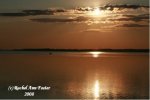
I hate photoshop. It is my nemesis. I'd rather have a root canal. But...I have to learn how to fix this image. I tried the clone stamp and it was dreadful. How can I lose the (insert expletive) boat in this image??????

http://i183.photobucket.com/albums/x153/annieblues/opf/boatcr.jpg
Cem_Usakligil
June 15th, 2008, 01:20 PM
I hate photoshop. It is my nemesis. I'd rather have a root canal. But...I have to learn how to fix this image. I tried the clone stamp and it was dreadful. How can I lose the (insert expletive) boat in this image??????

Like this?
http://www.usakligil.com/photo/fora/opf/boatcr_edit.jpg
Just a simple operation done using the clone tool in PS. This was really easy to do, just choose some point to the left of the boat as your anchor point and start cloning to the right in small steps. Follow the horizon line while clicking the first time after choosing the anchor (which you do by pressing the ALT key and clicking somewhere on the image).
Cheers,
Nikolai Sklobovsky
June 15th, 2008, 01:31 PM
I hate photoshop. It is my nemesis. I'd rather have a root canal. But...I have to learn how to fix this image. I tried the clone stamp and it was dreadful. How can I lose the (insert expletive) boat in this image??????
You mean something like this?
The tick is to use horisontally inversed stamp (width -100%). It's kinda advanced technique, you need to explore clone stamp palette. But it's uber powerful, especially when you deal with sharp light sources like sun...
Rachel Foster
June 15th, 2008, 01:50 PM
Ok, that may be what I didn't do. I tried the clone tool but it was obviously fake. I'm going to redo it with horizontally inversed stamp tool. I'm also looking for a photoshop workshop in my area. I think I need handholding for PS.
Rachel Foster
June 15th, 2008, 01:51 PM
And it looks far better without the misplaced boat.
Cem_Usakligil
June 15th, 2008, 01:53 PM
Ok, that may be what I didn't do. I tried the clone tool but it was obviously fake. I'm going to redo it with horizontally inversed stamp tool. I'm also looking for a photoshop workshop in my area. I think I need handholding for PS.
Hi Rachel,
With all due respect to Nik, there is no need for any such techniques in this particular case. Do not confuse yourself with advanced techniques, just use the normal ones properly as I have demonstrated above. Learn to walk before you can run.
Rachel Foster
June 15th, 2008, 02:17 PM
Well, I'll keep at it. I failed miserably but may be it just needs practice.
Dierk Haasis
June 16th, 2008, 12:49 AM
Healing Brush instead of Clone/Stamp Tool.
Rachel, PS is only to hate if you follow the complicated routes many photographers try to sell you. Take a look at Russel Brown's videos (http://www.russellbrown.com/tips_tech.html) and be astounded how easy some things are - much easier than all the recipes in digital imaging books.
Be aware that Doc Brown is very entertaining, probably the only guy around realing knowing Photoshop, and very bad on the xTrain/Adobe TV videos. But the tutorials on his own site are marvellous.
Rachel Foster
June 16th, 2008, 06:34 AM
Thanks, I'll check it out. I think PS has been so awful for me because I tried to just dive in head first.
Rachel Foster
June 16th, 2008, 07:40 PM
Nope, I think it's time I deleted photoshop from my computer and forget it. It may be easy for others, but I give up.
Thanks all....appreciate the help.
Dierk Haasis
June 17th, 2008, 12:20 AM
Ah, you might be much beter off - and I mean this in all seriousness - with Lightcraft's Lightzone. A superb image processing program, which I'd like to have been taken up by Microsoft to complement Expression Media.
Lightzone uses a completely different paradigm, two actually - one for how to technically deal with image corrections, and another for the UI. Takes about 2 hours and a handful of photos to get used to [if you've come to grips with Adobe's paradigms; less otherwise]. Pays off great dividend.
With luck Cem might still know where my oiginal review of it resides ...
Rachel Foster
June 17th, 2008, 03:47 AM
Oh, I'll look into that. I've spent countless hours on PS and I think part of the problem is that I no longer have the manual dexterity required. Thanks!
Murray Foote
June 18th, 2008, 07:44 AM
Rachel
A good place to look for Photoshop exposition is www.RadiantVista.com . They have videos you can download - eg a new "Photoshop Workbench" every week as well as a useful Video Tutorial section.
Regards,
Murray
Nill Toulme
June 18th, 2008, 07:56 AM
No! Don't give up!
Nill
~~
www.toulme.net
Rachel Foster
June 18th, 2008, 10:33 AM
I may come back to it....a major failing of mine is not knowing when to quit. But the dexterity issue is not going to go away. I cannot manipulate the mouse well enough I fear.
Nicolas Claris
June 18th, 2008, 10:39 AM
Ah, you might be much beter off - and I mean this in all seriousness - with Lightcraft's Lightzone. A superb image processing program
Why not? that's a real good suggestion, after all it is not that expensive and I'm getting tired of the permanet upgrades to pay yearly…
Lightzone is not expensive…
Does anyone here has any experience? goods and bads… I'd like to know, I may jump…
Nill Toulme
June 18th, 2008, 11:53 AM
I wasn't reacting to the LZ suggestion... just to the suggestion of quitting outright. ;-)
Nill
~~
www.toulme.net
Nill Toulme
June 18th, 2008, 11:55 AM
Rachel it might help to try one or the other or both of (a) working at a higher image magnification, or (b) slowing down your mouse tracking somewhat. Some also find a trackball helpful as a mouse alternative, or perhaps a tablet. And you do have an IR mouse, not one with a ball? That can make a pretty significant difference also.
Nill
~~
www.toulme.net
Rachel Foster
June 18th, 2008, 12:55 PM
I'll look into that...thanks.
Michael Fontana
June 18th, 2008, 01:18 PM
yep, sometimes LightZone is used here, in the version without the imagebrowser, therefore for retouching only.
Beeing coded in Java, it likes heaps of RAM!
It's correct, behind LightZone are different thoughts about HOW to edit images than PS, it's less tecnical, less abstract. For certain tasks, LZ does the much job faster and easier, because it's different. Another advantage of LZ: you can save a template, which contains all the editing steps, and apply it with 2 mouseklicks on other images. Thats not possible with PS, so I use it when shooting series with similar objects. Dodge and burn (http://www.openphotographyforums.com/forums/showthread.php?t=2824) is a intergral parth of LZ.
At Uwe's outbackphoto.com, you'll find much more info's about LZ.
Cem_Usakligil
June 18th, 2008, 01:35 PM
...Another advantage of LZ: you can save a template, which contains all the editing steps, and apply it with 2 mouseklicks on other images. Thats not possible with PS, so I use it when shooting series with similar objects....
Hi Michael,
Technically speaking, this statement is not correct. One can create scripts in PS for all the editing steps. And if one uses Lightroom/Bridge, one can synchronise/copy/paste development settings and also create templates for them.
Just my Euro 0.02
Rachel Foster
June 18th, 2008, 01:49 PM
"Two centi-Euro?"
Sean DeMerchant
June 18th, 2008, 02:21 PM
I may come back to it....a major failing of mine is not knowing when to quit. But the dexterity issue is not going to go away. I cannot manipulate the mouse well enough I fear.
This is why many professionals use Wacom Tablets (http://www.wacom.com/intuos/) rather than mice (a.k.a. rodents). Please note I cannot recommend the cheaper Wacom tablets due to their lack of sensitivity which makes them harder to use.
a thought,
Sean (who does not even have a mouse connected to his computer)
Michael Fontana
June 18th, 2008, 02:22 PM
Cem
I'm aware of PS' scripting capabilities; scripting sometimes myself ;-)
You can't really compare it, LZ's templates are a different beast! It works differently...
at any editing step, you can reedit any previous one, that's not possible in PS, unless you like to work with huge files....
Lghtroom has the same ability, but LR is not PS, nor LZ...
LZ hasn't layers, though...
Wacom: a tablet is great, I can't imagine doing it without...
Just my 0.0.2 sFR ;-)
Cem_Usakligil
June 18th, 2008, 02:45 PM
Cem
I'm aware of PS' scripting capabilities; scripting sometimes myself ;-)
You can't really compare it, LZ's templates are a different beast! It works differently...
at any editing step, you can reedit any previous one, that's not possible in PS, unless you like to work with huge files....
Lghtroom has the same ability, but LR is not PS, nor LZ...
LZ hasn't layers, though...
Wacom: a tablet is great, I can't imagine doing it without...
Just my 0.0.2 sFR ;-)
Hi Michael,
I know that you know that I know, etc, etc LOL. I have tried LZ extensively and know the differences (pros as well as cons) quite well. I am also aware that LR is not PS ;-).
What I wanted to avoid is giving the casual reader the wrong impression that it would be impossible to do scripting and/or templates within the PS/Bridge combo. Your initial statement was rather black and white, if you get what I mean.
Cheers,
Cem_Usakligil
June 18th, 2008, 02:46 PM
...With luck Cem might still know where my oiginal review of it resides ...
Hi Dierk,
No such luck, unfortunately. I have looked for it but I can't seem to be able to locate it. :-(
Michael Fontana
June 18th, 2008, 02:58 PM
......
What I wanted to avoid is giving the casual reader the wrong impression that it would be impossible to do scripting and/or templates within the PS/Bridge combo. Your initial statement was rather black and white, if you get what I mean. Cheers,
Hi Cem
I agree what you say... but then:
woud a °average reader° script PS in conjunction with Bridge or even creat droplets?
I guess, less than 5% of PS users are doing it.
in LZ its two mouseklicks...
°I know that you know that I know, etc....°
--> that was for Rachel.
Bart_van_der_Wolf
June 18th, 2008, 03:08 PM
With luck Cem might still know where my oiginal review of it resides ...
Hi Dierk,
I'm not sure which review you are referring to, but Lightzone was discussed here (http://openphotographyforums.com/forums/showthread.php?t=1474) and reviewed by you here (http://www.photo-i.co.uk/Reviews/software/Lightzone/LightZone.htm).
Bart
Cem_Usakligil
June 18th, 2008, 03:15 PM
Hi Dierk,
I'm not sure which review you are referring to, but Lightzone was discussed here (http://openphotographyforums.com/forums/showthread.php?t=1474) and reviewed by you here (http://www.photo-i.co.uk/Reviews/software/Lightzone/LightZone.htm).
Bart
But of course! I was looking for the review within OPF but it was actually over there at photo-i.co.uk. Memory failure I guess ;-)
Dierk Haasis
June 18th, 2008, 11:43 PM
Thanks Bart, the link to Vincent's place is the one I was referring to; I've lost that somehow.
Let me add some perspective. I did use LZ for a time and preferred it to Photoshop. ATM I do not use it anymore for the simple reason that I am using Capture NX 2 [NX before that], which is based upon the same processing paradigm as is Lightzone. Unfortunately both are also based on suboptimal coding environments, one uses Java the other .NET.
Don't let yourself be intimidated by my comparison to CNX! Lightzone has the much, much, much better UI. Lightcraft's developers made the user interface as intuitive [to photographers] as their general approach to image corrections.
PS: I might still have the original size illustrations for the review, with readable legend. Rachel, if you are interested, e-mail me.
William D. Wood
July 31st, 2008, 11:56 AM
The clone stamp is evil. Try to layer via copy a section near the boat. Move that section over the boat. Throw a curves adjustment layer on the copy you made. Then, lighten the copy til it almost blends in. Use a layer mask to blend it in the rest of the way.
Good luck, -W
http://jagerman.fatcow.com/boatcr.jpg
Cem_Usakligil
July 31st, 2008, 12:03 PM
The clone stamp is evil. Try to layer via copy a section near the boat. Move that section over the boat. Throw a curves adjustment layer on the copy you made. Then, lighten the copy til it almost blends in. Use a layer mask to blend it in the rest of the way.
Good luck, -W
http://jagerman.fatcow.com/boatcr.jpg
Nothing is evil unless used in a wrong way. The method you have described can be achieved using the Patch tool (J), which is easier and faster.
Rachel Foster
August 1st, 2008, 12:35 PM
Wow. I'll be looking at these very carefully in a few weeks (we have a houseguest from Europe and must get ready for the new term).
Kathy Rappaport
August 1st, 2008, 01:35 PM
Rachel,
You might also look at Corel's PaintShop Pro X. It does many of the scripted things that PS does with a click or two really well.
Asher Kelman
August 1st, 2008, 02:42 PM
Hi Rachel,
These are the simplest routes for you to patch up a large fault, like your boat:
1. A quick sufficient fix in Photoshop: Using a patch with the right color, texture and pattern. Only the simplest tools are needed, use the lasso since it will be irregular, the more the better.
Once you see the little ants dancing around this area, soften the edges by using Select, Feather to some number based on the size of the image. (For a full res image this might be 20 pixels for a 600 pixels wide version for the web just 2-6 pixels). Now switch to the "Move" tool, (top right of the tools set, looks like a "plus sign, +) and slide the selected area to cover the unwanted fault.
Soften the edges by using the Erasor tool to the patch just enough so the seams don't show.
2. Learn painlessly from Russel Brown: start with using the healing brush as suggested by Dierk:
Healing Brush instead of Clone/Stamp Tool.
Rachel, PS is only to hate if you follow the complicated routes many photographers try to sell you. Take a look at Russel Brown's videos (http://www.russellbrown.com/tips_tech.html) and be astounded how easy some things are - much easier than all the recipes in digital imaging books.
Be aware that Doc Brown is very entertaining, probably the only guy around realing knowing Photoshop, and very bad on the xTrain/Adobe TV videos. But the tutorials on his own site are marvellous.
3. Keep to Photoshop for now! Unless you have a tutor, given your frustration, hold off on Lightzone. Basic photoshop, even PS 7, will do all you need.
Just work with Russel Brown's videos. He presents photoshop with no pain at all.
4. Using a Retoucher: For very little money at all, retouch artists can do what you want for almost nothing! send the file by http://www.yousendit.com or similar free service. They will return you your file often within hours or usually within 24 hours. I have not seen the charges but maybe we should have a bunch of test images to send to various retouchers. The ones overseas might be less costly.
Yes, it appears somehow that you are giving away control. But, I promise you, some of the most famous photographers routinely use such help. This is no different than having a wet darkroom technician who gets to know your style.
Some photographers have the ability to take fine photographs but may not have the time, patience or dexterity to fiddle with minutiae that can make the good picture excel.
I'd like to know from a retoucher what the charge would be for removing that boat?
Asher
Gary Ayala
August 1st, 2008, 03:42 PM
Rachel-
I use the PS tools that emulate what I could do in a wet dark room ... I just keep it simple and found that incremental activities/levels work better than trying to get it done in a hurry.
Gary
doug anderson
August 2nd, 2008, 08:29 AM
Rachel-
I use the PS tools that emulate what I could do in a wet dark room ... I just keep it simple and found that incremental activities/levels work better than trying to get it done in a hurry.
Gary
That's what I do. I get most of this done with elements 6.
D
Rachel Foster
August 2nd, 2008, 02:04 PM
I'm looking forward to getting a chance to try these out. Thanks!
Nikolai Sklobovsky
August 2nd, 2008, 02:47 PM
Rachel-
I use the PS tools that emulate what I could do in a wet dark room ... I just keep it simple and found that incremental activities/levels work better than trying to get it done in a hurry.
Gary
Gary,
baby steps would only get you so far. You can't clear 9 ft crevasse in 3 steps.
It can work for a simple project, but unfortunately it ain't so for any advanced stuff.
Essentially, if you at at point A and want to arrive not to B or C? but to Q or X, chances are that none of the intermediate steps will look good. Essentially you need to know exactly what you're doing.
FWIW, PS is not a wet process, and the sooner everybody forget about the latter, the better, IMHO. The fact it can "dodge" and "burn" (i.e. make local exposure adjustments) don't justify the last-millenium approach to the post-processing.
Tina Voorhis
February 15th, 2009, 02:59 PM
I think the photo looks nice!